01
Problem
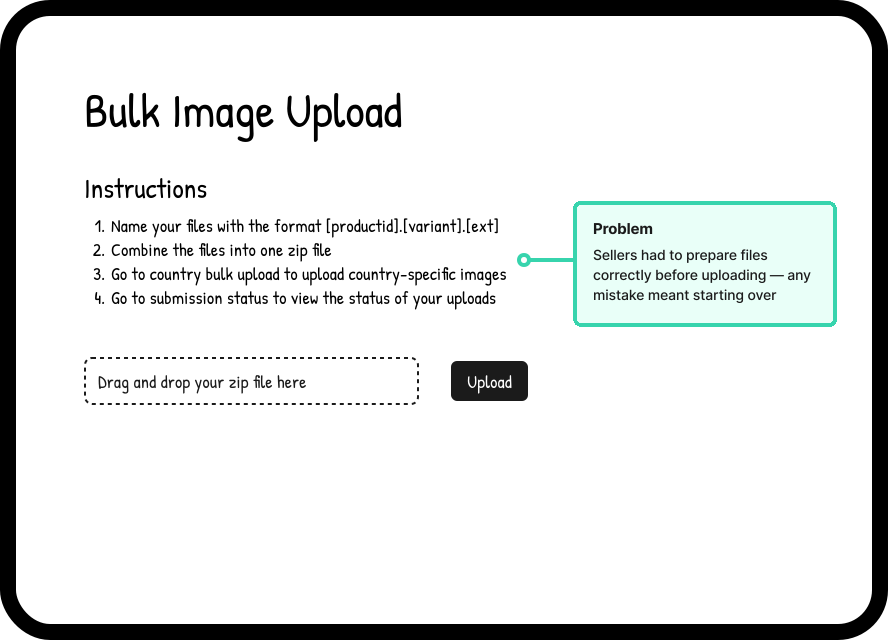
Amazon sellers — from global brands like Procter & Gamble to small independent businesses — upload product images in bulk, sometimes hundreds at a time across multiple products and variants. The existing tool put the burden entirely on the seller before a single file could be uploaded: every image had to be renamed using an exact format, bundled into a zip, and submitted with no indication of whether anything was wrong until after the fact. On-screen feedback was a generic failure message. Detailed errors were buried in a downloadable CSV that sellers had to hunt for and parse themselves.
A separate, nearly identical page existed for country-specific images, requiring sellers to navigate between two tools to complete what was essentially one task.
The tool worked, but it was unforgiving — and the volume of customer contacts reflected it.
02
Decisions
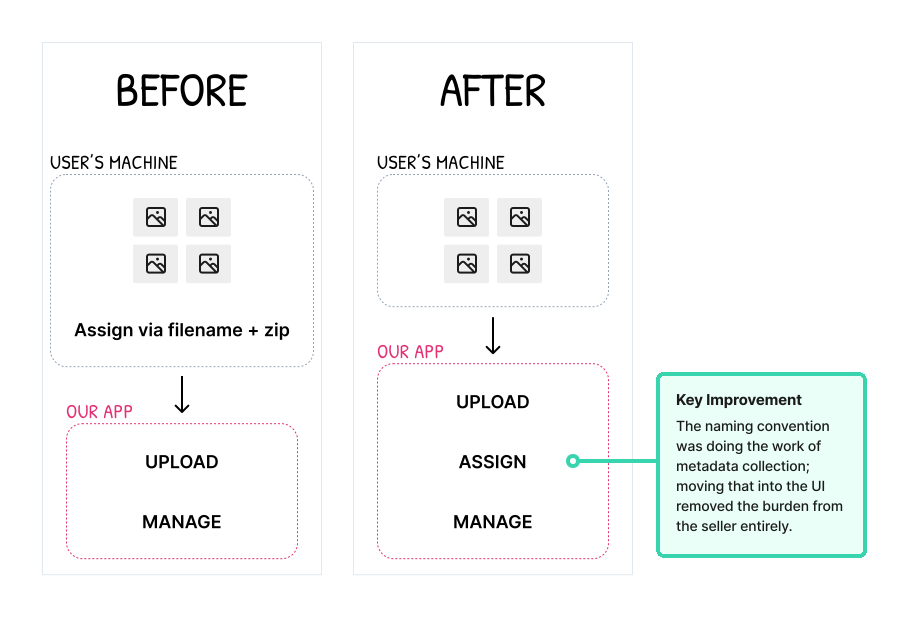
Decision 1 — The naming convention was doing the work the UI should have been doing.
The strict filename format — [product-id].[variant].[ext] — existed because the system needed to know where each image belonged. It was a metadata problem solved by pushing the work onto the seller. The obvious alternative was to let sellers upload files with any name, then collect that metadata through the interface itself during an explicit assignment step.
This kept the old convention as an option for sellers already accustomed to it, while removing it as a requirement for everyone else. The assignment step became its own distinct part of the workflow rather than something sellers had to complete before they even touched the tool.
Decision 2 — Errors needed to surface before submission, not after.
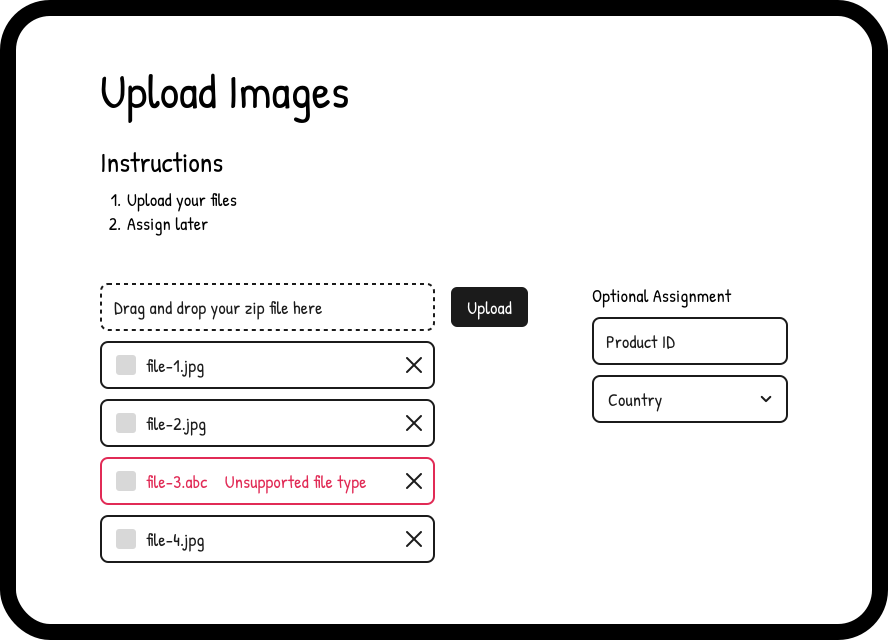
The new upload page accepted individual files or zip files with no naming requirements. As files were selected, basic validation ran immediately — unsupported file types, duplicates, anything catchable on the client side — with inline feedback on the offending file rather than a generic page-level message. Sellers could see and fix problems before hitting upload, rather than discovering them in a CSV afterward.
Once uploaded, a second layer of backend validation ran against each image — checking things like background color, logo presence, and other Amazon image requirements. These results surfaced in the Assign Images table as an Issues column, giving sellers a specific reason for each failure and a path to resolve it in place rather than starting over.
The two separate upload pages — one for standard images, one for country-specific — were consolidated into one. A country field was added as an optional input alongside product ID, covering both use cases without requiring sellers to navigate between tools.
Assignment metadata could also be provided upfront as an optional shortcut. If all images in a batch belonged to the same product, a seller could fill in the product ID once and skip the assignment step entirely for that batch.
Decision 3 — The hardest decision wasn't design. It was where things lived.
Once images were uploaded and validated, they needed somewhere to live until they were assigned to a product. My original design was a unified Media Manager — a single table showing all of a seller's images regardless of status, filterable by Unassigned, Uploaded, Live, and other states. One place to see everything, act on anything.
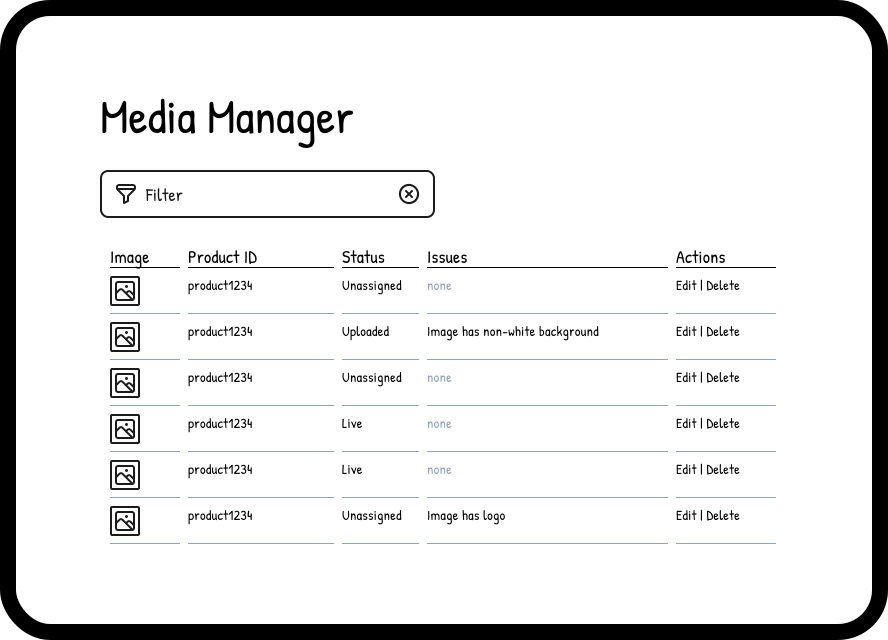
The backend couldn't support it at the time. The data model that powered Image Manager — organized around products, not images — made a flat, image-first table view technically out of reach without significant infrastructure work that wasn't scoped for this project.
The first compromise was a separate Assign Images tab. It kept unassigned images visible without requiring changes to Image Manager, but it introduced a problem I flagged at the time: sellers who uploaded images and then left the page had no obvious reason to go back to a tab they'd never used before. The assignment step was easy to miss.
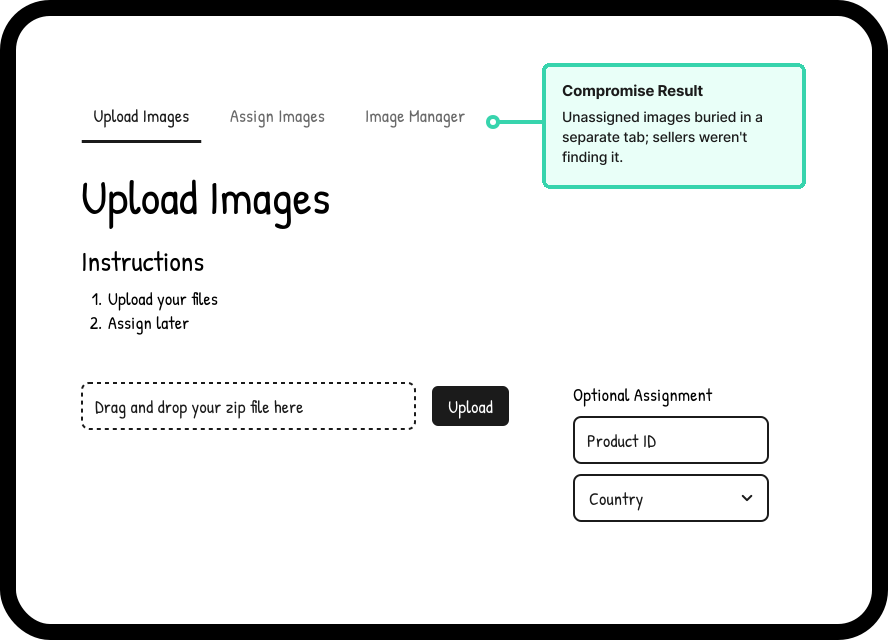
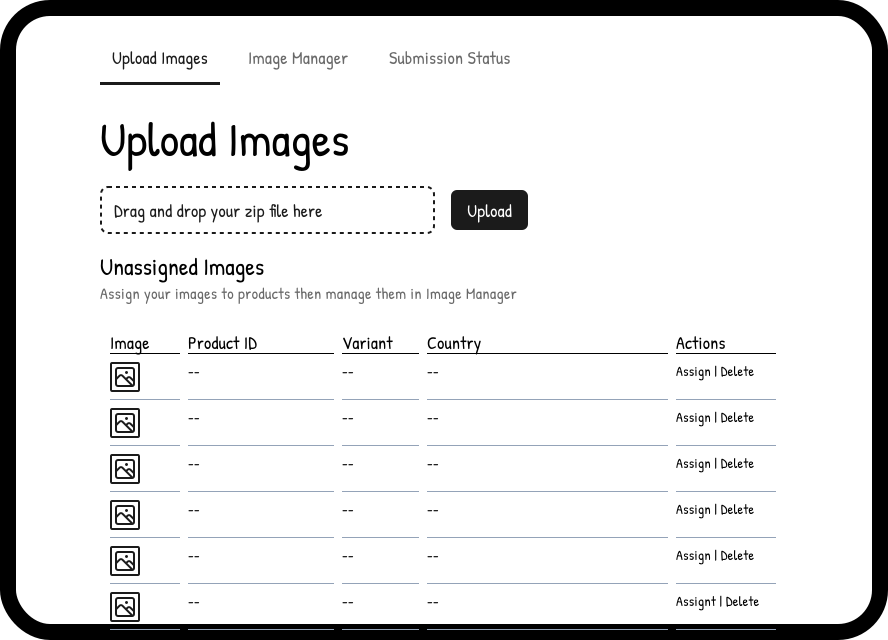
The second compromise made it worse. For reasons of scope and timeline, the unassigned images table was moved to its own separate page entirely, one more step removed from the upload moment.
The data confirmed what the design suggested — sellers weren't completing the assignment step, and images were sitting unassigned. The team is now scoping a project to bring the unassigned table back onto the upload page, and the unified media table remains the longer-term goal.
03
Outcome
↓20%
support tickets
The redesign resulted in a 20% reduction in customer contacts related to bulk image upload — a meaningful signal that sellers were completing the workflow with less confusion and fewer errors than before.
The consolidation of two upload pages into one, combined with inline validation and the explicit assignment step, removed the most common failure points from the old experience. Sellers no longer needed to prepare files correctly before touching the tool — the tool met them where they were.
The assignment completion rate told a different story. Images were being uploaded successfully, but too many were sitting unassigned — a gap that traced directly back to the placement of the assignment step. The 20% improvement was real, but incomplete.
04
Retrospective
The bulk image upload redesign shipped better than what it replaced, and the outcome data confirmed it. But the version I originally designed — where upload and assignment lived together, and all of a seller's media was visible in one place — was closer to the right answer than what we shipped.
The constraints were real. The backend couldn't support the unified media table, and the timeline couldn't absorb the scope of keeping the unassigned table on the upload page. These weren't bad decisions in the moment so much as deferred ones, and the user behavior data has since validated what the design was trying to prevent.
What I'd do differently is less about advocacy — I made the case for keeping assignment on the upload page, and the constraints were genuinely immovable at the time. The timeline was tight, the backend wasn't ready, and sometimes that's just the reality of shipping. What I'd carry forward is the importance of documenting the known tradeoffs explicitly when committing to a compromise, so the path back to the right solution is already mapped when the team is ready to build it.
The team is now scoping the fix: bringing unassigned images onto the upload page where they belong. The unified media table is the longer-term goal. Both feel inevitable in retrospect, which is its own kind of validation.